What is "Alt-Text"?
Alternative text, or "alt-text" is text that's displayed when images aren't available to a user, either because the user is blind or low-vision, or because they're browsing with images off, or are using a technology that doesn't display images. Alt-text is meant to be text that provides an equivalent written experience of the information contained in the images. Use alt-text any time you add an image to a webpage, document (including presentations), social media post, newsletter, or email message.
Alt-Text and Accessibility Checkers
Automated accessibility checkers currently only catch roughly 30% of all accessibility errors. When it comes to alternative text, an accessibility checker can determine whether alt-text has been included for an image, but it cannot determine the quality of the alt-text. That's something only a human can do.
Meaningful vs. Decorative Images
Alt-text is an A-level WCAG requirement for all meaningful images. A-level requirements are accessibility fundamentals.
An image is meaningful if it helps the user understand the rest of the content. Images that are not meaningful are termed “decorative”. They are pure decoration. Screen readers skip all decorative images. And because of this, decorative images don’t need alt-text.
Examples of meaningful images include:
- Illustrative photos
- Charts
- Graphs
- Screenshots for instructions
- Logos (the first time)
- Video thumbnails
- Maps
- Illustrations
- Headshots
A meaningful image is any included image that sparks discussion and deepens people’s enjoyment or awareness of a document.
Examples of decorative images include:
- Logos in the footer of a document – after the first appearance of a logo
- Images used to create page divisions
- Decorative icons
Please note: accessibility checkers -- including AI -- cannot tell the difference between a meaningful image and a decorative one.
Alt-Text vs Long Descriptions vs Captions
Alt-text is designed to be short, active, and vivid. It captures the details of the image, and not anything else. When you're writing alt-text, you're focused in on the sensory information the image provides. But what about additional details?
For those, you can include a long description and/or a caption.
Long Descriptions
Long descriptions are, in large part, just that: long descriptions of the image. They're an optional paragraph of text that is placed next to (usually above or below) the image itself, providing more details, and crucially, more context about the image. They can start with the words "Long description:" or you can work the long description into the narrative of a longer piece of text.
A long description answers the questions:
- Why did you choose to include this image?
- How does this image relate to the rest of the work?
- What conclusions do you want a reader or viewer to draw from the image?
Captions
Captions are image credits. They generally appear directly underneath an image, and they contain only the credits and/or licensing terms for the image. They are optional, but can provide a neat, clean way to satisfy your Creative Commons obligations, give photographers credit, and let viewers and readers know how they can (and can't) use the image themselves.
An Example of Alt-Text, Long Description, and Captions
Our polar bear has returned.
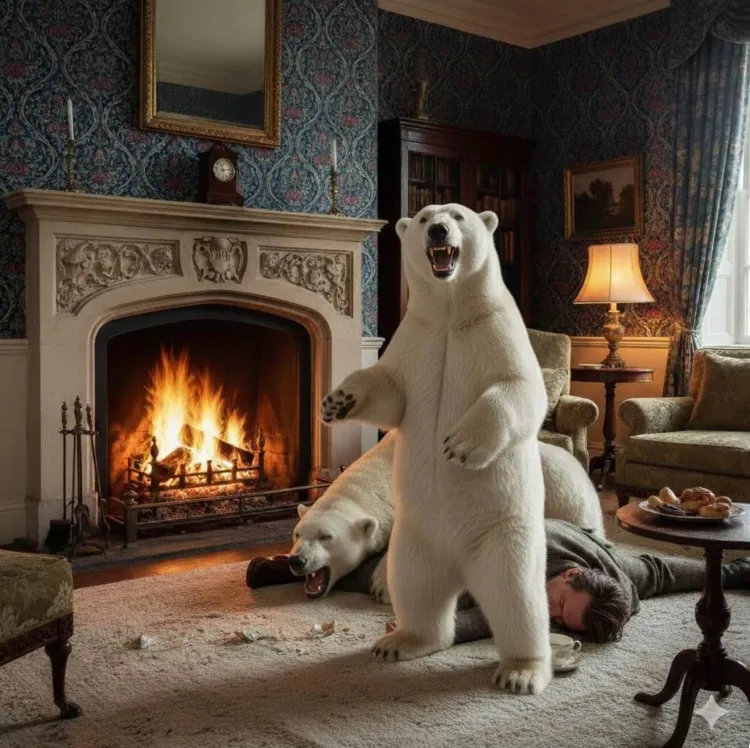
Long description: This AI-generated image of polar bears in a potentially confrontational situation with a guest in a teatime that has clearly gone awry was created by the author of the "Creating Images & Alt-Text" webpage to serve two purposes. One, it was created as a visually memorable image for teaching purposes: please remember the polar bear in the living room. But two, it also has a wealth of minute details, such as the plate of baked treats, the broken crockery, the ornately carved mantlepiece and authentic William Morris wallpaper, in order to vividly illustrate how tightly alt-text needs to focus on the main details of an image, despite the allure of going into detail on everything in a compelling image.
How to Write Effective Alt-Text: focus on the polar bear, not the wallpaper.
Alt-text aims to provide an equivalent experience for people who aren’t accessing images. Alt-text that is effective in providing an equivalent experience is considered good alt-text.
Alt-text needs to be kept short, and it needs to focus on the main action of the image, not the details. For instance:
The alt-text for the above image reads:
"An AI-generated image of a man lying unconscious on a rug in a cozy living room. A polar bear lies on top of him, another stands by roaring."
Now, the living room itself is not just cozy, but is stuffed with details: a broken cup on the rug, a plate of untouched pastries, a roaring fire, a set of fire tongs, a carved fireplace, and an example of genuine William Morris wallpaper on the walls. William Morris was an English textile designer associated with the Arts and Crafts movement who is famous for his organic-inspired designs on fabrics and wallpapers. However, it is easy to argue that in this image it is much more important to describe the startling and compelling aspect of an unconscious person and two annoyed, possibly dangerous polar bears.
In other words: focus on the polar bears, not the wallpaper.
Tips for Writing Effective Alt-Text
- You want 1-2 sentences focusing on the main action in the image.
- Keep it short. 150 characters or 25-50 words maximum, unless you are working with a complex image where a long description is not appropriate.
- Use active voice.
- Describe the type of item. An item type could be a screenshot, a thumbnail, a sepia-toned photograph, a full-color illustration, a black-and-white line drawing, a faded Polaroid, a bar graph, or a pie chart.
- Avoid “Image of” because screen readers start every description with “Image of”. If you include the words "image of", someone using a screen reader will hear "Image of image of [your description]".
- Effective alt-text ends with a period. This causes all screen readers to pause, just as you pause when speaking.
- Mention when something is AI-generated.
- Use descriptive colors. Instead of “purple”, try royal purple, indigo, deep magenta, dark violet, lavender, periwinkle, or plum. This is because some blind and low-vision people have acquired vision disabilities or vision loss, and absolutely remember (and appreciate) descriptive language.
Things Not to Include in Alt-Text
Do not include the following items in alt-text descriptions:
- Photo credits or image licensing details. Both these items are more appropriate to include in image captions.
- Judgment about people’s bodies, facial expressions, circumstances or personal characteristics.
- Keyword-bombing in hopes of improving your search-engine optimization (SEO) score
- Hashtags – unless the image is an image of text with a hashtag
- Ads
- An ampersand (&) in place of the word "and"
Alt-Text for Complex Images
About Complex Images
Complex images are meaningful image types that routinely contain more information than a standard photograph or illustration. Examples of complex images include:
- Thumbnails
- Screenshots
- Maps
- Charts and Graphs
- Comics
- Infographics
Thumbnails
Thumbnails can be marked decorative, unless you’re using them to illustrate instructions. This thumbnail below is purely decorative:
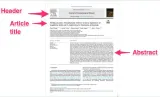
But the thumbnail below has been marked up with illustrative instructions. Because of this, the thumbnail below has descriptive alt-text.
Screenshots
Indicate when an image is a screenshot, then a brief description of the item being captured, and any function.
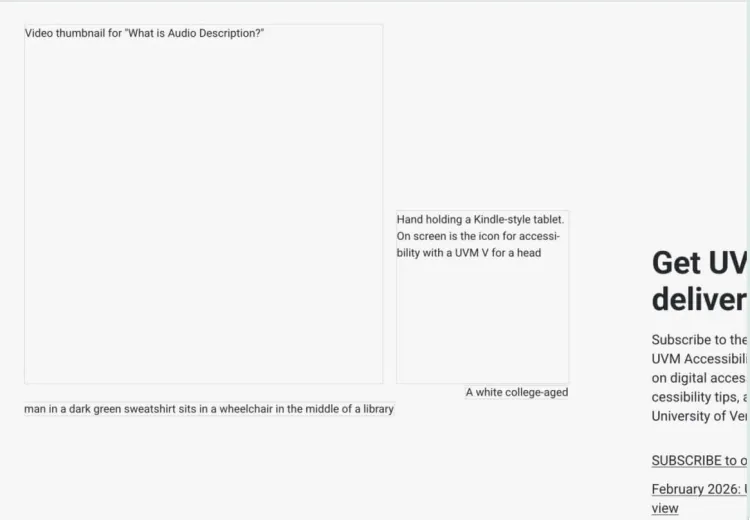
The alt-text for the above image reads:
Partial screenshot of the OAS homepage, images off, displaying the alt-text for a trio of images.
The alt-text provides the image type, as well as a brief summary of what's displayed.
Maps
Start your alt-text by identifying the type of map. Types of maps include:
- Topographic
- Hydrology
- Geology
- Heat map
- Data map
- Political map
- Road map
- Climate
- Weather
Next, add context. For instance:
“Map of sales territory showing a 20% increase in the North region, with detailed data in the table below.”
or
"Map of the downtown area, highlighting the route from the hotel to the conference center."
Examples
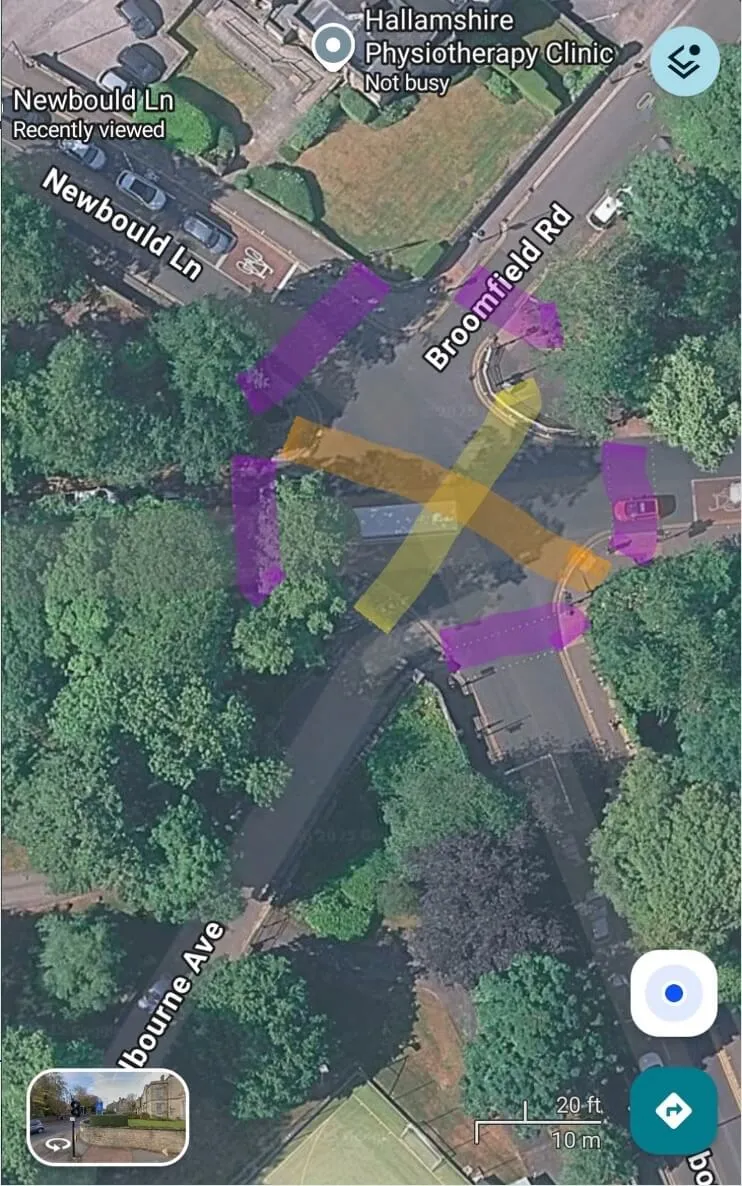
The alt-text for this map reads:
Satellite view of a 5 way junction on street map, with the tree-lined route taken by some pedestrians marked out.
However, that alt-text doesn't tell the whole story. It can't tell the whole story without getting very long. But the story still needs to be told, so in a long description, either in the caption or specifically marked as a "long image description", you can add additional details:
Long image description: Satellite view of a 5 way junction with toads at 1, 3, 5, 9 and 11 o'clock. Pedestrian crossings are marked across all the roads in purple. An additional line has been drawn diagonally (7 to 2) showing the route taken by some pedestrians. Another orange line has also been drawn (4 to 10) showing another potential route.
Another example comes to us courtesy of the fantasy cartographer Fernando Salvaterra:
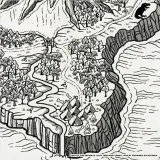
The alt-text for this image -- provided by the artist -- reads:
Black and white illustrated map fragment depicting an island covered in jungle, inhabited by dinosaurs, with habitats near the cliffs with bonfires. A river runs through to the sea, from a volcano at the center of the island.
Comics
Comics are a type of image that can have a lot or a little detail included in the art, but usually they include dialogue in most or some of the panels. All dialogue and action must be included in the alt-text or a long description for the comic.
Example
Take this comic by Tom Gauld, shown below:
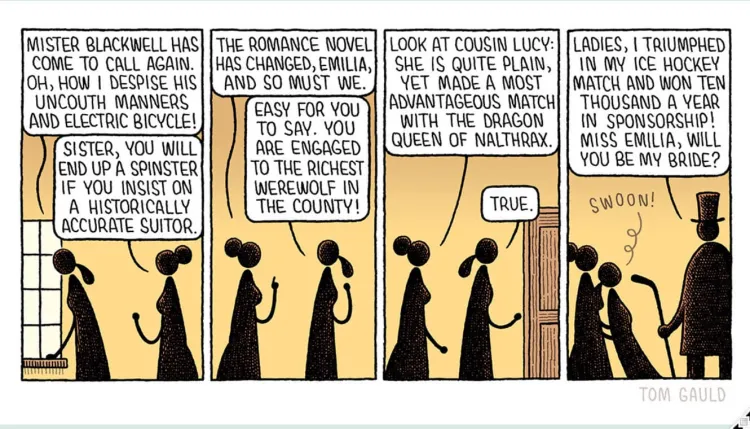
The alt-text we're using for it here on this webpage reads:
Four-panel comic depicting a conversation between two Edwardian spinsters and a suitor. Long description below.
And then our long description would need to read:
Long description: A large Regency house. Two sisters named Emilia and Charlotte talk on an upper floor.
"Mister Blackwell has come to call again." says Emilia as she looks out of the window "Oh, how I despise his uncouth manners and electric bicycle!" Charlotte says "Sister, you will end up a spinster if you insist on a historically accurate suitor." and continues "The romance novel has changed, Emilia, and so must we."
Emilia replies "Easy for you to say. You are engaged to the richest werewolf in the county!"
They are walking through the house.
Charlotte says "Look at Cousin Lucy: She is quite plain, yet made a most advantageous match with the dragon queen of nalthrax."
"True." says Emilia opening the door.
The tall, solid figure of Miuster Blackwell stands at the door wearing a top hat and tailcoat:
"Ladies, I triumphed In my ice hockey match and won ten thousand a year in sponsorship! Miss Emilia, will you be my bride?" he is holding a hockey stick.
Emilia swoons into Charlotte's arms.
However, when the artist himself posted the comic on the social media site Bluesky, he included the full description of the comic in the alt-text to the Bluesky skeet:
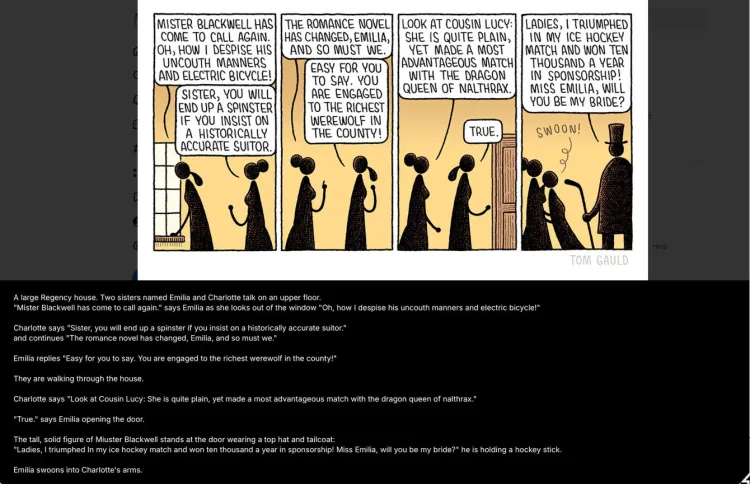
In the case of posting this complex image to a social media site, the alt-text fit in the field provided by Bluesky, and the medium of social media made including that full description as alt-text the most user-friendly option for providing all the information needed to create an equivalent experience for people who cannot see the image.