Fixed Asset System
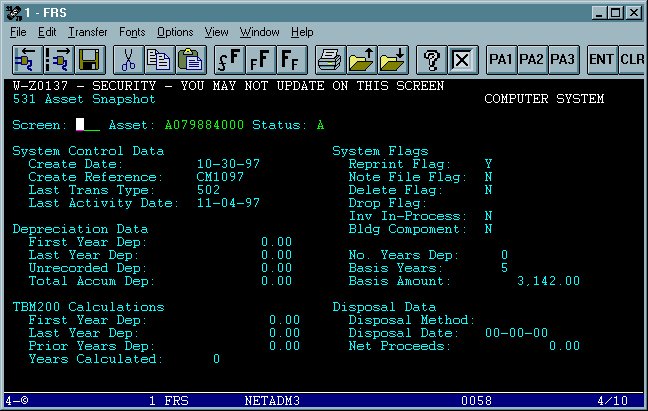
Screen 531 Asset Snapshot
From any FRS screen type 531 in the Screen field. Type the asset number (also known as the tag number) you are searching for in the Asset field. The tag number in this example is A79884, please notice how this asset number was entered in FRS, this will remain the same for all assets. This screen will provide you with useful information including, Create Date, Purchase Price and date of last activity.

