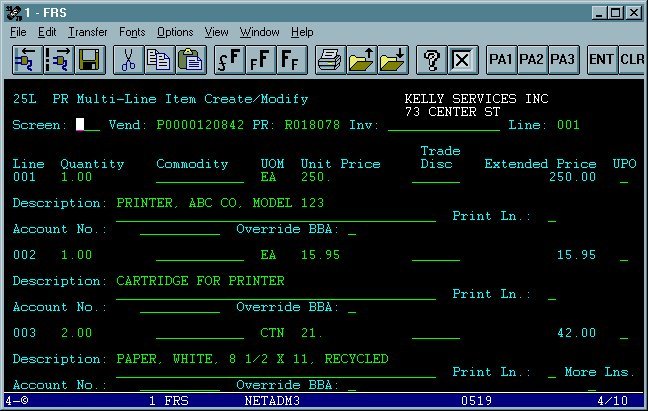
Type 25L in the screen field and press enter. Make sure 001 appears in the Line field. Tab to the first line item, enter the quantity with a decimal point, tab to the UOM field and enter the unit of measure (ea, bxs, pk, etc.). If you're unsure, press F2 with the cursor on the UOM field for a list of all available codes. Move the cursor to the code you want and press enter to insert it in the field. Enter the unit price with decimal point. Type the description of what you are ordering and tab to next line to repeat the process. When you're done, press enter and review the screen to be sure all information was accepted and the Extended Prices are correct. If you have more than 3 line items, tab to More Lns (the field appears below), type y and press enter.

