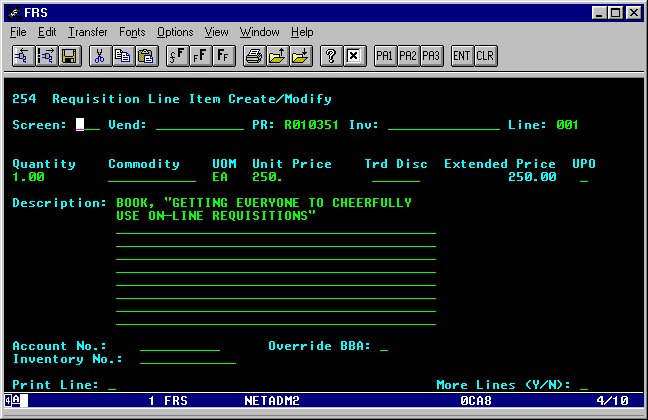
Screen 254
Requisition Line Item Create/Modify
Type 254 in the screen field and press enter. Make sure 001 appears
in the Line field. Enter the quantity with a decimal point. Tab to the
UOM field and enter the unit of measure (ea, bxs, pk, etc.). If you're
unsure, press F2 with the cursor on the UOM field and you will see a list
of all available codes. Move the cursor to the code you want and press
enter to automatically insert it in the field. Enter the unit price with
decimal point. Type the complete description of what you are ordering.
When you're done, press enter and review the screen to be sure all information
was accepted and the Extended Price is correct.
If you have additional lines, tab to the Line Number field, type 002,
and press enter. Continue as above, but make sure you press enter after
each line.
If you need to give instructions to Purchasing, you can establish a text
line by typing T in the UPO field and removing EA from the UOM field. Tab
to the Description lines and type your instructions.
